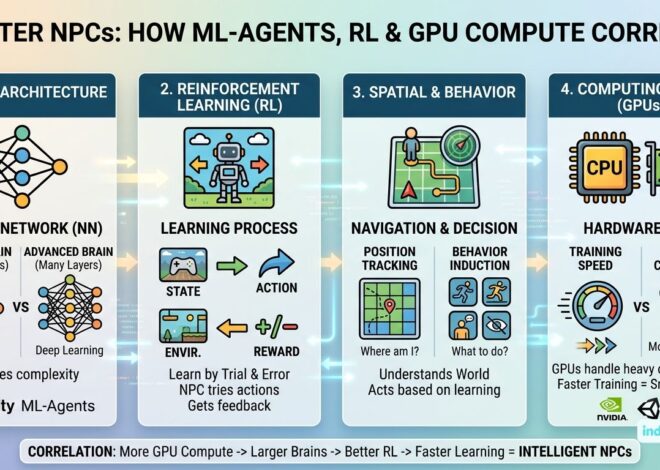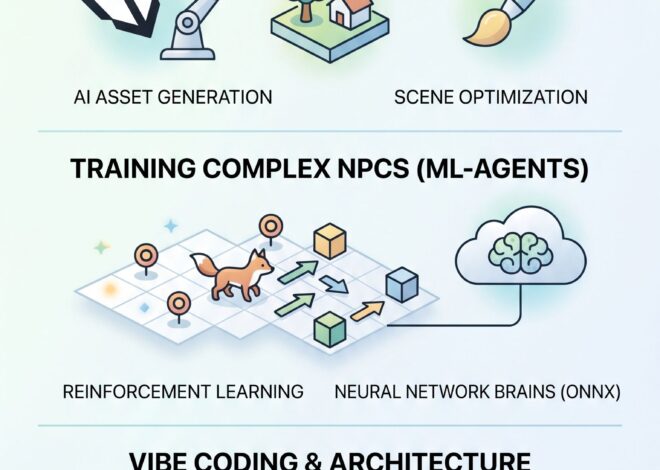
Building an AI Ecosystem Simulator in Unity: Neural Networks & Giraffes
How to Code an Ecosystem Simulator with Unity ML-Agents
What happens when you drop a herd of AI-driven giraffes into a digital savannah and force them to figure out how to survive?
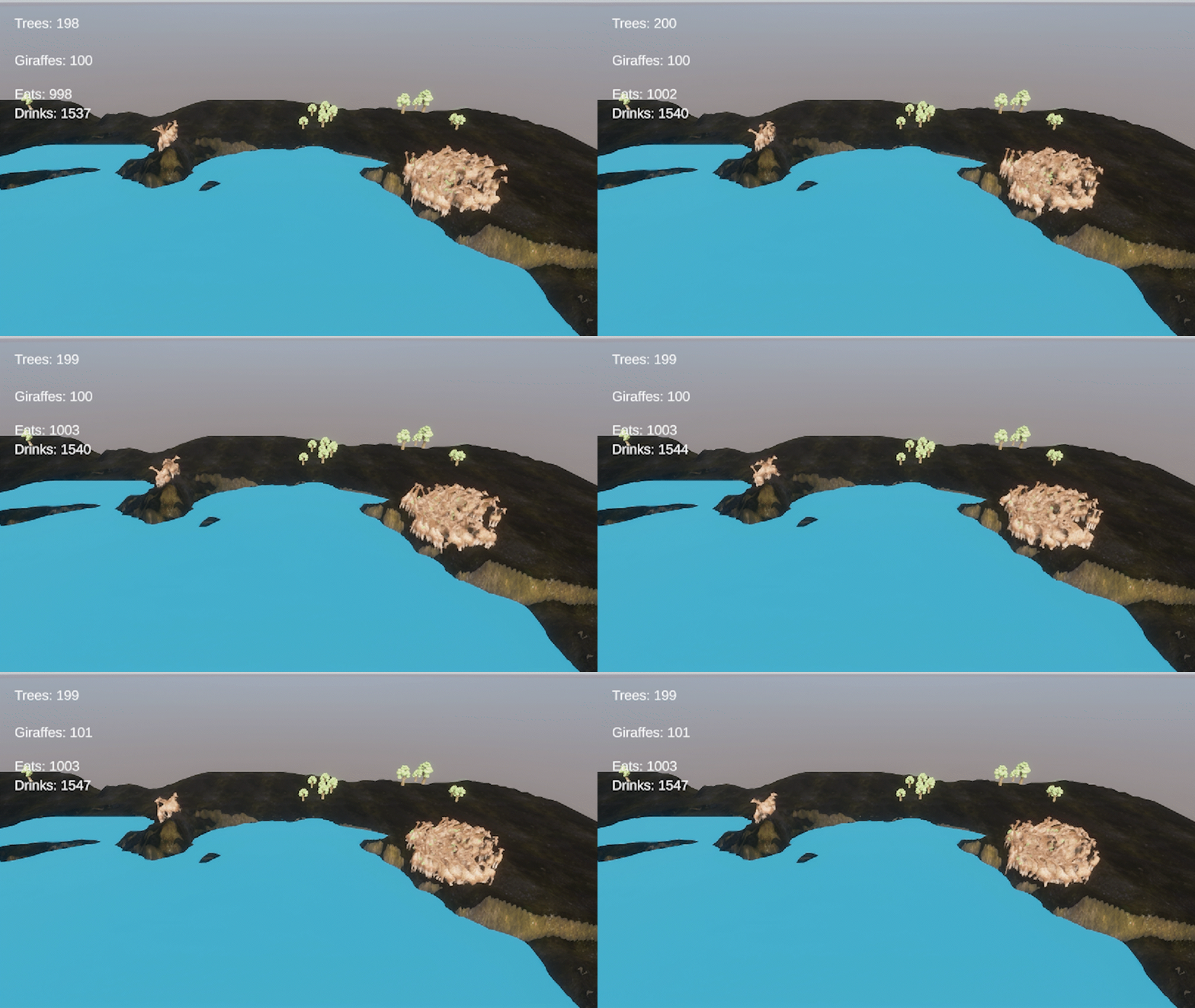
In the quest to build living, breathing digital worlds, scripted AI often falls short. To truly understand and simulate nature, we have to let the animals learn for themselves. In this devlog, we are breaking down the architecture of a custom ecosystem simulator where giraffes use neural networks to balance hunger, thirst, and reproduction in real-time.
Whether you are building your own nature sim or looking to integrate machine learning into your indie game, here is the complete blueprint of our Giraffe & Tree ecosystem.
A. Technical Specifications (The Stack)
To handle dozens of independent AI agents learning simultaneously without melting the CPU, the project relies on a specific development stack designed for high-speed simulation:
- Engine: Unity 6
- AI Framework: Unity ML-Agents (Machine Learning Agents Toolkit)
- Language: C#
- Physics: Standard 3D Rigidbody physics with kinematic movement to prevent standard collision glitches during high-speed training.
- Data Logging: Custom JSON serialization to track peak populations, extinction events, and total resource consumption over thousands of generations.
- Training Environment: Capable of running at 10x to 100x speed in headless mode (no graphics rendered) for rapid Python-based neural network training.
B. 3D Models & Physical Setup
An ecosystem simulation requires models that look good but, more importantly, interact flawlessly with Unity’s physics engine.
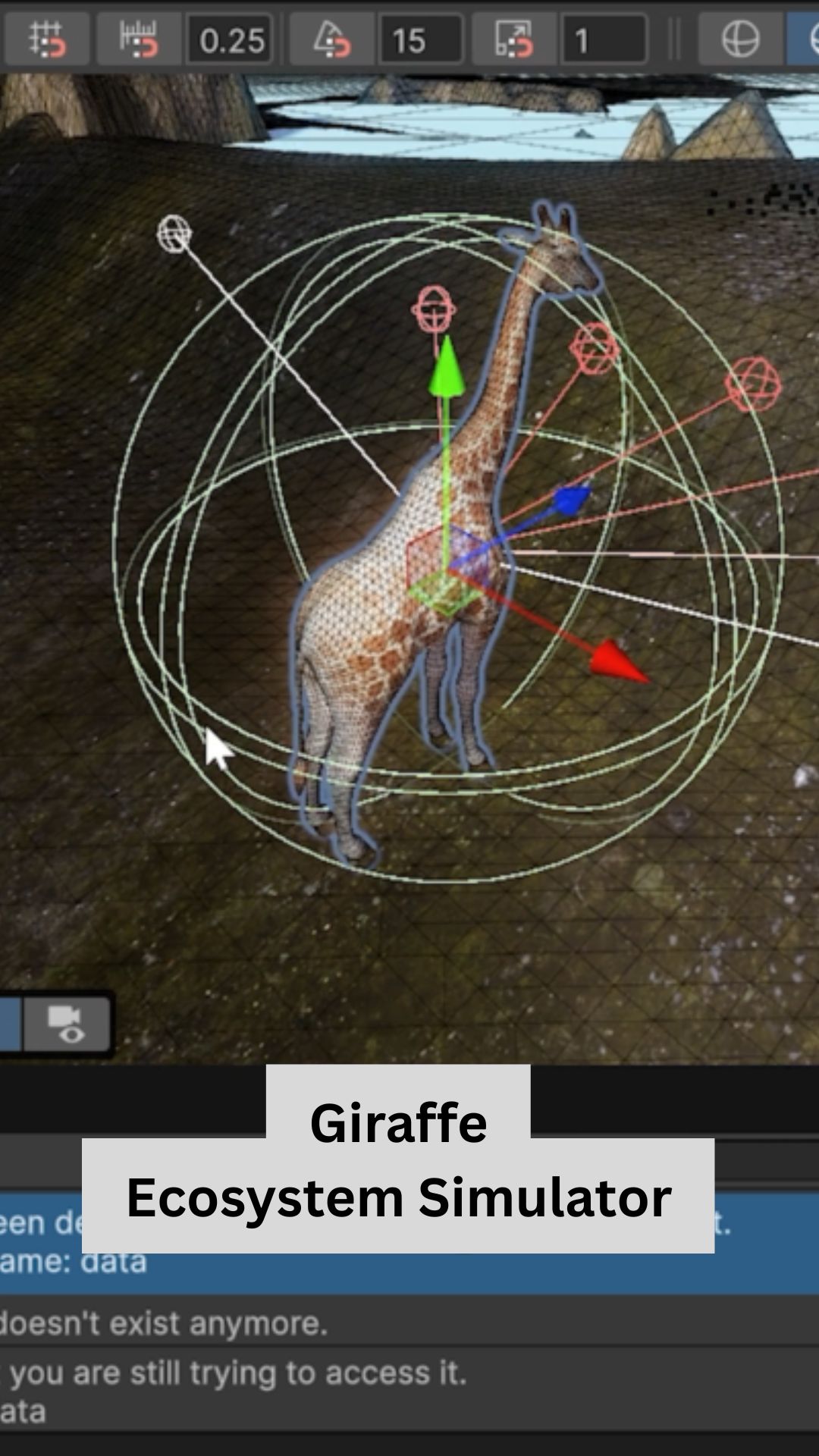
- The Giraffe: Rigged and animated with an Animator controller. Physically, it requires a Kinematic
Rigidbodyand aCapsule Collider. It acts as the physical “sensor” moving through the world. - The Oak Tree: Operates as an interactive resource rather than a static prop. It uses a
Box Colliderset to Is Trigger so the AI can physically step inside its bounds to eat without bumping into an invisible wall. - The Water Zone: A flat plane representing the lake, enveloped by a massive
Sphere Collider(also set to Is Trigger). The shallow edges are safe for drinking, but a secondary “Deep Water” trigger sits in the middle to drown giraffes that wander too far, teaching the AI to respect environmental hazards.
C. AI Giraffe Behavior & Neural Logic
The giraffes are not programmed with simple “if hungry, go to tree” logic. Instead, they are given a neural network brain, a set of physical sensors, and strict biological rules. They must learn the rest.
- The Survival Loop: Giraffes have a Thirst timer (400 seconds) and a Hunger timer (500 seconds). If either hits zero, they die (Negative Reward).
- The Gluttony Penalty: To prevent the AI from cheating by just standing inside a tree forever, they are penalized if they try to eat or drink before a 50-second cooldown has passed. They must learn to migrate between resources.
- Asexual Reproduction: If a giraffe successfully takes 5 bites of food, it enters a 20-second gestation period. If it survives the wait, it spawns a clone of itself (Massive Positive Reward).
- Natural Lifespan: Every giraffe is born with a random lifespan between 1,000 and 2,000 seconds. Surviving to old age grants the highest possible AI reward, ensuring the ecosystem naturally cycles and prevents immortal overpopulation.
D. The Code Architecture (Scripts Explained)
The entire ecosystem is driven by four highly specialized C# scripts that talk to each other every frame.
1. GiraffeEcosystemAgent (The Brain) This is the core ML-Agent script attached to every giraffe. It handles movement, tracks the biological timers (hunger, thirst, age, pregnancy), and houses the OnTriggerStay function. When the giraffe touches a tree or water, this script calculates if it is allowed to consume it and assigns the neural network rewards or penalties. It also handles the logic for dropping seeds behind the giraffe as it grazes.
2. EcosystemTree (The Resource) This script gives the flora its own lifecycle. It tracks how many times a tree has been bitten (destroying it after 5 bites) and handles natural aging (dying after 3,000 to 7,000 seconds). Crucially, it contains a Coroutine that manages the “Seed Phase,” keeping the tree tiny and inedible for up to 130 seconds before smoothly animating its growth into a full-sized food source.
3. EcosystemSpawner (The World Builder) Responsible for generating the initial forest. It uses math to pick random coordinates within the map boundaries and uses Physics.OverlapSphere to check for overlapping colliders. If it detects water, map boundaries, or another tree, it rejects the spot and tries again, ensuring a perfectly spaced, natural-looking forest layout.
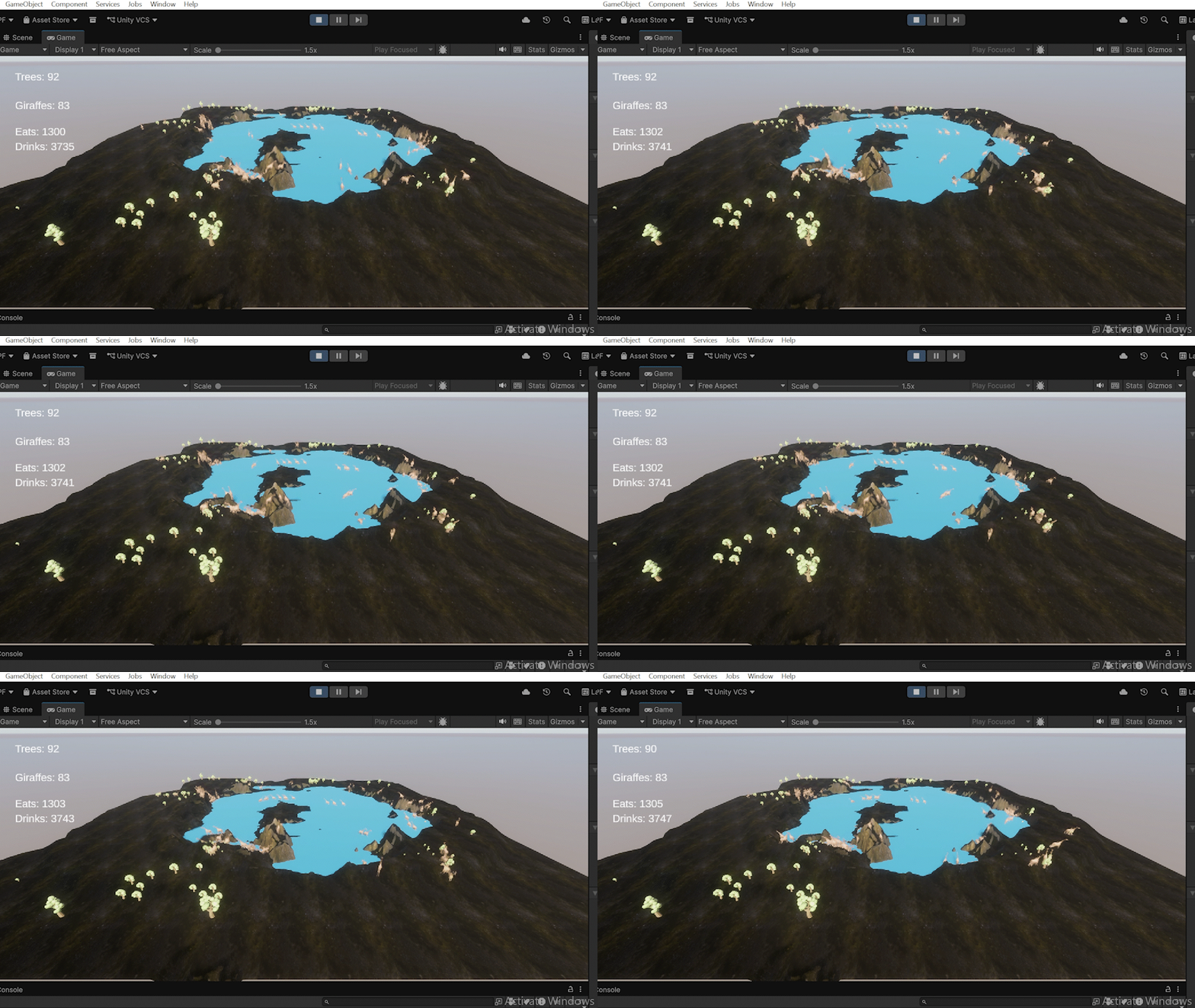
4. EcosystemCounter (The Global Manager) The silent overseer of the simulation. It updates the UI canvas, tracks the total lifetime eats and drinks, and records the “High Score” of peak populations. Most importantly, it detects Extinction Events. When the giraffe population hits zero, this script automatically bundles the run data, exports it to a timestamped JSON file for analysis, and instantly restarts the simulation for the next training generation.
The Biology Behind the AI: Real-World Giraffe Science
When building a living simulation, understanding the real-world biology of your subjects is just as important as the code itself. While our Unity giraffes are currently surviving on Oak trees and asexual reproduction, real-world giraffes have adapted to their environment in fascinating, highly specialized ways. Here is the science behind the world’s tallest land mammal.
A. Giraffe Behavior: Diet & Seed Dispersal
- The “Oak Tree” Exception: In your simulation, the giraffes eat Oak. In the real world, giraffes are famously adapted to the African savanna and primarily feed on the thorny branches of the Acacia tree (as well as Commiphora and Terminalia species). Their 18-inch prehensile tongues and tough lips allow them to strip leaves right past the thorns.
- The Seed Dispersers: Just like in the simulator, giraffes are keystone species for forest generation. Because they are ruminants with four-chambered stomachs, they digest tough foliage but allow hard seeds to pass through intact. This digestive process (scarification) actually helps the seeds sprout faster. Because giraffes roam vast distances daily, they deposit these seeds miles away in nutrient-rich dung, acting as nature’s ultimate tree planters.
B. Are Giraffes Sexually Dimorphic?
Yes, but perhaps not for the reasons scientists originally thought.
- Size and Weight: Males are significantly larger, weighing up to 4,000 lbs (1,800 kg), while females typically weigh around 2,000 lbs (900 kg). Males also tend to grow darker in coat color as they age.
- The “Necks for Sex” Myth: For decades, a popular theory suggested male giraffes evolved long necks purely to use as weapons against each other to win mates. However, modern 3D anatomical studies show that male and female neck proportions and growth rates are actually incredibly similar.
- The Real Weapons: Where males do differ heavily is in their skulls and ossicones (the horn-like structures on their heads). A mature male’s skull is significantly heavier and reinforced, acting as a massive club during dominance battles known as “necking.”
C. Lifespan of Male vs. Female Giraffes
Female giraffes generally outlive males in the wild.
- Because males must fight for dominance and tend to roam further from the safety of the herd to find mates, they expend more energy and are more frequently targeted by apex predators like lions.
- Females stay in loose, protective herds, allowing them to better watch for danger and survive longer.
D. Life Expectancy (Wild vs. Captivity)
- In the Wild: A giraffe’s life expectancy is roughly 20 to 25 years. Reaching adulthood is the hardest part; due to predators like hyenas, leopards, and crocodiles, calf mortality can be incredibly high. If a giraffe survives its first few years, its chances of reaching 20 increase drastically.
- In Captivity: Without the threat of lions or starvation, giraffes in protected care routinely live into their late 20s or early 30s. The absolute oldest recorded giraffes have reached up to 39 years of age.
E. Top Giraffe Scientific Facts
- The 25-Pound Heart: To pump blood all the way up that massive neck against gravity, a giraffe has a heavily muscled heart that weighs up to 25 lbs and beats up to 170 times a minute.
- Built-in G-Suits: When a giraffe lowers its head to drink, the sudden rush of blood should theoretically cause a brain hemorrhage. To prevent this, they have a specialized network of elastic blood vessels (the rete mirabile) that acts like a pressure-release valve.
- Power Nappers: Giraffes rarely sleep for more than a few minutes at a time. In the wild, they average only 30 minutes of sleep per day, broken up into tiny 5-minute micro-naps to avoid being ambushed by predators.
World’s Tallest Land Mammal Ecosystem Role: This short documentary visually breaks down how giraffes naturally prune the canopy and disperse seeds, providing excellent real-world reference material for the mechanics you are coding in your simulation.
The Ecosystem Simulator Code
using UnityEngine;
using TMPro;

public class EcosystemCounter : MonoBehaviour
{
    // The "Singleton" - This allows any giraffe to easily find this exact script!
    public static EcosystemCounter Instance;

    [Header("UI Settings - Populations")]
    public TextMeshProUGUI treeText;
    public TextMeshProUGUI giraffeText;

    [Header("UI Settings - Lifetime Events")]
    public TextMeshProUGUI drinkText;   // NEW: Slot for drinks
    public TextMeshProUGUI eatText;     // NEW: Slot for eats

    // The hidden memory banks
    private int totalDrinks = 0;
    private int totalEats = 0;
    private float timer = 0f;

    void Awake()
    {
        // When the game starts, this script announces itself as the global manager
        if (Instance == null) Instance = this;
    }

    void Update()
    {
        timer += Time.deltaTime;

        if (timer >= 0.5f)
        {
            timer = 0f;
            UpdateCounters();
        }
    }

    // A giraffe will call this exact function when it drinks!
    public void RegisterDrink()
    {
        totalDrinks++;
    }

    // A giraffe will call this exact function when it eats!
    public void RegisterEat()
    {
        totalEats++;
    }

    void UpdateCounters()
    {
        int treeCount = GameObject.FindGameObjectsWithTag("Tree").Length;
        int giraffeCount = GameObject.FindGameObjectsWithTag("Giraffe").Length;

        if (treeText != null) treeText.text = "Trees: "+treeCount.ToString();
        if (giraffeText != null) giraffeText.text = "Giraffes: "+giraffeCount.ToString();

        // Update our new screens!
        if (drinkText != null) drinkText.text = "Drinks: "+totalDrinks.ToString();
        if (eatText != null) eatText.text = "Eats: "+totalEats.ToString();
    }
}
Decoding the Global Manager: How the Ecosystem Tracks Data
In a massive simulation, you can’t have every single tree and giraffe trying to update the UI at the same time—it would crash the game! Instead, we use a single “Global Manager” script called the EcosystemCounter.
Here is a step-by-step breakdown of how it works.
1. The Singleton (The Global Hotline)
C#
public static EcosystemCounter Instance;

void Awake()
{
    // When the game starts, this script announces itself as the global manager
    if (Instance == null) Instance = this;
}
What it does: This is a famous programming trick called the Singleton Pattern. By making the script public static, it essentially creates a global hotline. Now, any giraffe in the game can instantly send data to this specific script without needing a complicated physical connection in the Unity editor.
2. The Scoreboard Memory
C#
[Header("UI Settings - Populations")]
public TextMeshProUGUI treeText;
public TextMeshProUGUI giraffeText;
public TextMeshProUGUI drinkText;
public TextMeshProUGUI eatText;

// The hidden memory banks
private int totalDrinks = 0;
private int totalEats = 0;
What it does: The TextMeshProUGUI variables are the physical text boxes on the player’s screen. The private int variables are the hidden memory banks. The script keeps the actual math hidden in the background, and only pushes the final numbers to the screen when it’s ready.
3. The CPU Saver (Optimized Updates)
C#
private float timer = 0f;

void Update()
{
    timer += Time.deltaTime;

    if (timer >= 0.5f)
    {
        timer = 0f;
        UpdateCounters();
    }
}
What it does: The Update() function normally runs 60 to 144 times per second. Searching the entire map for trees 60 times a second would completely fry your computer’s CPU during an AI simulation! Instead, we use a simple timer. This forces the game to only count the animals and update the screen once every 0.5 seconds. It looks perfectly smooth to the human eye, but saves massive amounts of processing power.
4. Listening to the Herd
C#
// A giraffe will call this exact function when it drinks!
public void RegisterDrink()
{
    totalDrinks++;
}

// A giraffe will call this exact function when it eats!
public void RegisterEat()
{
    totalEats++;
}
What it does: These are public “listening” functions. Remember that Singleton hotline we built in step one? When an AI giraffe successfully takes a bite of an oak tree, its brain simply dials EcosystemCounter.Instance.RegisterEat();. This manager script receives the call and ticks the hidden memory bank up by one.
5. Displaying the Data
C#
void UpdateCounters()
{
    int treeCount = GameObject.FindGameObjectsWithTag("Tree").Length;
    int giraffeCount = GameObject.FindGameObjectsWithTag("Giraffe").Length;

    if (treeText != null) treeText.text = "Trees: " + treeCount.ToString();
    if (giraffeText != null) giraffeText.text = "Giraffes: " + giraffeCount.ToString();

    // Update our new screens!
    if (drinkText != null) drinkText.text = "Drinks: " + totalDrinks.ToString();
    if (eatText != null) eatText.text = "Eats: " + totalEats.ToString();
}
What it does: This is the grand finale that runs every half-second. It uses Unity’s tagging system to instantly count exactly how many objects tagged “Tree” and “Giraffe” are currently alive on the map. Finally, it takes those numbers (along with the total eats and drinks), converts them into readable text strings (.ToString()), and prints them directly to the UI canvas for the player to see!