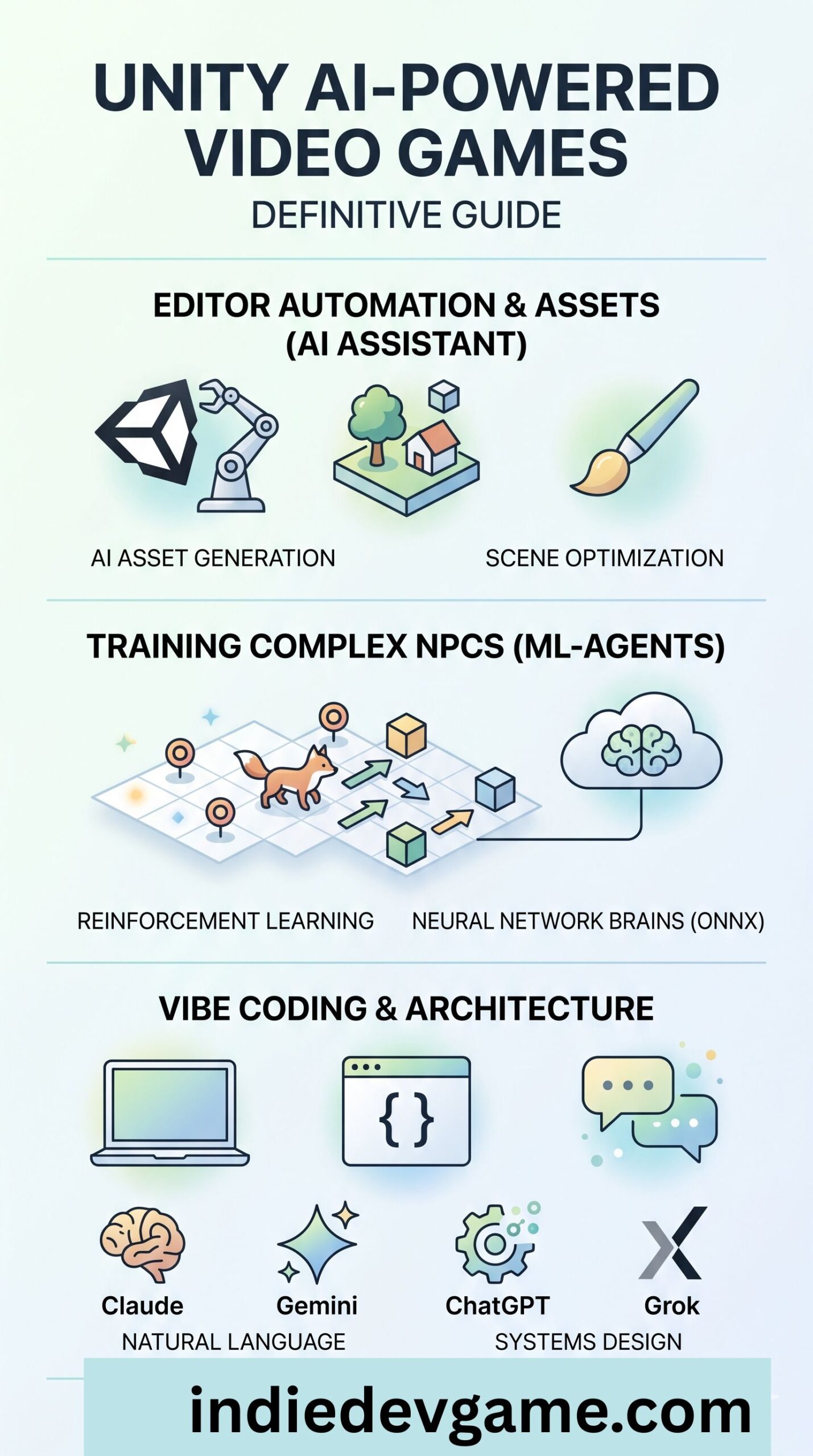
The landscape of game development is undergoing a massive paradigm shift. Incorporating Artificial Intelligence (AI) into production pipelines and game logic is no longer a futuristic concept—it is a current necessity. For Unity developers, this shift offers unprecedented opportunities to streamline workflows, prototype complex mechanics in minutes, and build living, breathing environments.
This definitive guide breaks down the core pillars of Unity AI ecosystem: the Unity AI Assistant, Unity ML-Agents, and an analysis of the premier LLMs used for “vibe coding” inside the editor.
1. Unity AI Assistant: Editor Automation and Asset Generation
The Unity AI Assistant is a generative, agentic AI tool deeply integrated into the Unity Editor. Rather than acting as a simple text box that spits out code snippets, the assistant functions as an active co-developer capable of reading, planning, and executing operations directly inside your project structure.
Core Features and Architecture
The assistant operates across three core execution models depending on the complexity of your workflow:
Ask Mode: A read-only mode designed to provide context-aware explanations, analyze profiler data, and offer optimization suggestions without altering project assets or scenes.
Plan Mode: Purpose-built for game architecture. It takes a high-level design idea or a full Game Design Document (GDD) and builds a multi-step implementation plan. This prevents the agent from skipping steps or cutting corners on large tasks.
Agent Mode: Routes your approved plans to specialized internal systems or Generators to execute structural changes, modify GameObjects, configure animation state machines, or create production-ready assets.
Additionally, Unity utilizes the Model Context Protocol (MCP), allowing you to establish an MCP server. This connects your external development environments or custom AI pipelines directly to the Unity Editor, providing deep contextual control over project data.
Asset Generation Subsystems
Through integrated partner models (such as Scenario and Layer AI, built on Stable Diffusion and FLUX), the assistant natively processes:
2D Visuals: Creating sprites, spritesheets, textures, and UI Toolkit layouts (producing raw UXML and USS files).
3D Assets: Generating skybox cubemaps, 3D meshes, and procedural terrain layers from text prompts or visual reference images.
Audio & Animation: Building custom sound clips and refining animation transitions directly inside your animator parameters.
Installation and Setup
To install the tool in an active project:
Ensure you are running Unity 6 or higher (specifically Unity 6.3+ for the latest agentic features).
Open the Package Manager (Window > Package Manager).
Select Packages: Unity Registry or add the package directly via Git URL/Scoped Registry using its verified identifier: com.unity.ai.assistant.
Click Install. Once compiled, access the interface via Window > AI > Assistant.
Cost, Orchestration, and Value Assessment
The platform relies on a token/credit system managed directly through the Unity Dashboard, where organization admins can monitor point balances, configure usage tiers, and establish spend caps.
Is it worth the cost? With the open beta, the tool leverages frontier model routing (including OpenAI’s GPT models and Meta’s Llama variants) wrapped in game-specific context graphs. For solo developers and independent studios tracking intensive production milestones, the assistant is highly valuable. Tasks that traditionally require days—such as constructing multi-language localization plugins across dozens of prefabs, or running structural sweeps for performance bottlenecks—can be executed and verified in minutes.
2. Unity ML-Agents: Training Advanced NPC Brains
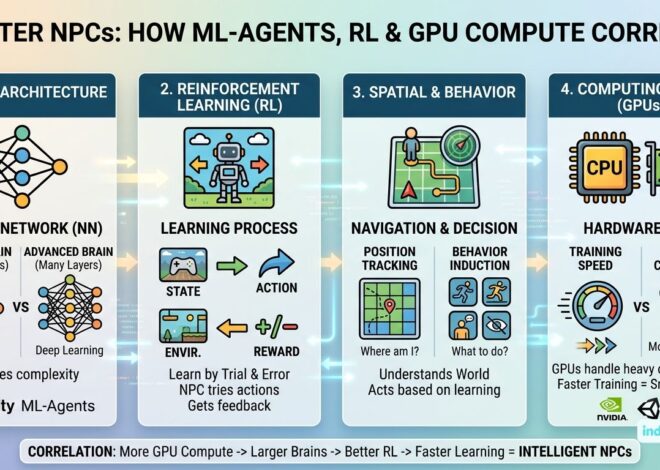
When your goal moves past asset generation and into creating complex, emergent behaviors for entities, Unity ML-Agents (Machine Learning Agents) is the industry-standard framework. It allows 2D and 3D environments to serve as training grounds for neural networks.
How the Neural Networks Work
An ML-Agents setup consists of three foundational entities:
Agent: The actor in the scene (e.g., an animal, a vehicle, or an enemy NPC). It collects observations, executes actions, and receives rewards.
Academy: Orchestrates the environment’s physics loop, synchronizes tracking steps, and handles simulation resets during training phases.
Behavior (Policy): The underlying neural network processing input states to calculate output actions.
An agent learns from its environment using two major observation types parsed via the ISensor interface:
Vector Observations: Raw numerical inputs gathered via the CollectObservations(VectorSensor sensor) method. This tracks structured data like local transformations, velocity, and distance matrices. For example, a wildlife agent might track its forward direction vector and relative distances to food items.
Visual Observations: Grid sensors or camera components rendering visual buffers directly from the 2D or 3D viewport. The policy processes these matrices through Convolutional Neural Networks (CNNs) to read spatial topologies, allowing the agent to map out pathways or detect obstacles.
Training Methodologies
ML-Agents natively supports multiple training paradigms out of the box:
Reinforcement Learning (PPO / SAC): The agent explores through trial and error, optimizing its behavior based on a feedback loop of positive rewards for desired actions and negative penalties for failures.
Imitation Learning (BC / GAIL): Behavioral Cloning (BC) and Generative Adversarial Imitation Learning (GAIL) allow agents to study human demonstrations. By tracking recording files of an experienced developer playing the game, the agent mimics playstyles to bootstrap its training.
Neuroevolution: Algorithms that evolve neural network topologies over successive generations, perfect for long-term survival tasks or dynamic ecosystem balancing.
Training Time and the ONNX Pipeline
The duration required to train an active agent depends heavily on observation space complexity and choice of rewards:
Simple behaviors (e.g., a predatory agent chasing prey on a flat 3D plane) can converge within 30 minutes to 2 hours of real-world training, scaling up environment instances using parallel concurrent simulations.
Complex multi-agent interactions (e.g., group hunting mechanics with dynamic obstacles) can take anywhere from 12 to 48 hours of continuous compute.
Once the training run completes, the Python training pipeline outputs a .onnx (Open Neural Network Exchange) file. This file represents the finalized, compiled NPC brain. You import this file back into Unity and drop it into the agent’s Behavior Parameters component. At runtime, Unity runs internal inference on the ONNX model, allowing the NPC to instantly execute actions with virtually zero processing overhead.
3. Vibe Coding in Unity: LLM Comparison
“Vibe coding”—the practice of orchestrating full game architectures using conversational natural language—is an incredibly efficient way to prototype indie games. Selecting the right foundation model dictates how cleanly your systems interact.
Here is an analysis of the top frontier models used for programming Unity games at the current State of the Art (May 2026):
Gemini 3.5 Flash (Google)
The Flow: Built for mass ingestion of technical data and lightning-fast architectural sweeps. Developers can feed entire Unity package manuals, massive script folders, and structural game loops directly into its massive context window without suffering from attention degradation.
Strengths: Unrivaled compilation speed and rapid generation of massive boilerplate systems (e.g., handling complex multi-tiered inventory databases or massive network synchronization scripts). Its multimodal pipeline allows you to throw a screenshot of a broken Unity UI Toolkit layout or an engine console error directly into the chat for immediate context-aware solutions.
Flaws: While lightning-fast, it can occasionally cut corners on deeply granular mathematical loops (such as precision physics integration or intricate quaternion rotations) by utilizing generic helper methods unless explicitly commanded to output the full raw script.
Claude (Anthropic)
The Flow: Exceptionally smooth for structural, high-level game architecture. It acts as an elite systems engineer, mapping out clean Object-Oriented layouts, abstract base classes, and highly cohesive Scriptable Object patterns.
Strengths: Superb adherence to clean C# syntax, decoupling principles, and performance optimization rules. It excels at breaking down intricate gameplay loops (like building an ecosystem simulator or state-machine based enemy behavior scripts) that interact nicely with Unity’s component architecture.
Flaws: Can be overly cautious or verbose when attempting to draft high-throughput, experimental optimization code (such as unsafe memory blocks or advanced low-level graphics shaders) without precise steering prompts.
ChatGPT (OpenAI)
The Flow: Highly balanced, iterative code creation. Excellent for live debugging, running complex runtime logic checks, and resolving tricky native engine errors thrown into the console.
Strengths: Highly reliable logical reasoning. It excels at breaking down vector math, raycasting formulas, coroutines, and asynchronous (async/await) task structures for smooth, non-blocking frame execution.
Flaws: Occasionally exhibits minor context drift or legacy syntax hallucinations if you do not explicitly lock it down to the exact Unity version features you are targetting.
Grok (xAI)
The Flow: Highly analytical, direct, and pragmatic. Ideal for raw data transformations, balancing game math configurations, and handling heavy script routines.
Strengths: Strong algorithmic reasoning and rapid mathematical calculations. It cuts through conversational filler and outputs lean code meant for quick implementation.
Flaws: Features a slightly less mature boilerplate ecosystem tailored precisely to game engine integration compared to long-standing coding models, sometimes requiring explicit reminders to adhere to specific Unity safety features like the Job System or Burst Compiler constraints.
Summary Matrix for Game Dev Workflows
Tool / Model
Primary Use Case
Installation / Access
Key Advantage
Unity AI Assistant
Editor automation, asset generation, UI layout.
Package Manager (com.unity.ai.assistant)
Deep runtime and context awareness inside Unity Editor.
Unity ML-Agents
Advanced NPC AI, physics behaviors, pathfinding.
Package Manager (com.unity.ml-agents) + Python
Compiles complex behaviors into high-performance ONNX files.
Gemini 3.5 Flash
Mass codebase ingestion, rapid prototyping, visual debugging.
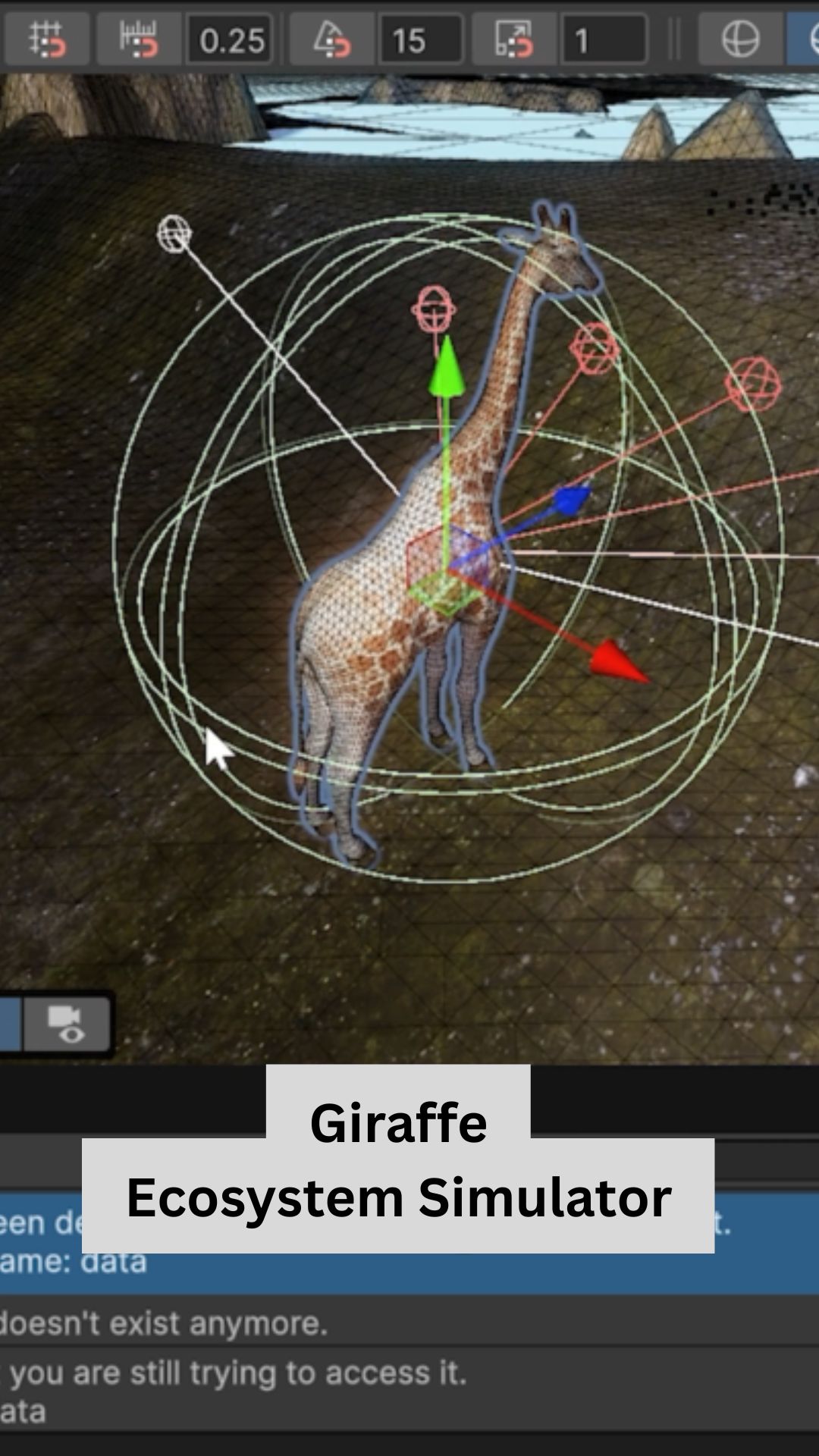
Discover what happens when you drop a herd of AI-driven giraffes into a digital savanna to balance hunger, thirst, and reproduction via custom neural networks. This breakdown includes full open-source C# scripts, training paradigms, and spatial observation mapping blueprints you can copy and paste directly into your own project.